
Schedule IT involvement 8 weeks before move day to avoid downtime during the office move; finish up infrastructure mapping and document an operational startup process; record all network configurations before disconnection; plan internet circuit activation as a deliverable for Day 0; and get formal mention from operations before moving is complete. Companies that execute all five consistently achieve zero unplanned downtime. Skipping anyone introduces a risk that consistently materializes.
How to Avoid Downtime During an Office Move: The 8-Week Framework
Zero-downtime IT relocation is not luck. It is the result of a specific planning sequence executed in the right order. It is those businesses that are not considering an office move as a business continuity event that will experience Monday-morning outages. Here is what the right sequence looks like.
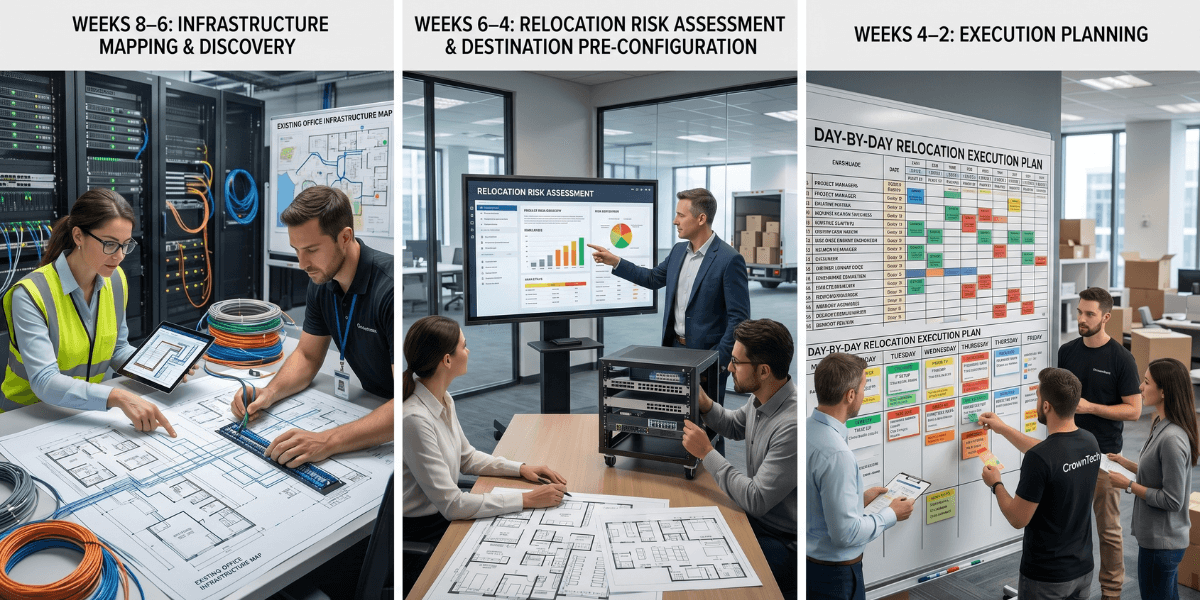
Weeks 8–6: Infrastructure Mapping & Discovery
This stage is the most crucial stage and is the one that is most often overlooked. All servers, network devices, and storage systems should be catalogued by role, not just physical location. A smooth transition means that proper infrastructure mapping was done in this stage, rather than being chaotic. When your in-house resources are too stretched to handle it, getting an IT relocation specialist on board can pay off immediately.
- Write down a description of what each server does, what it needs, and what it provides.
- Export full network device configurations (switches, routers, firewalls).
- Build a dependency tree and derive the shutdown/startup sequence from it.
- Identify all cloud connections, VPN tunnels, and hybrid dependencies.
- Picture all of the racks from the front and back.
Weeks 6–4: Relocation Risk Assessment & Destination Pre-Configuration
Complete a relocation risk assessment before one cable is unplugged to identify single points of failure, aged hardware that may not be able to withstand a move, and connectivity gaps at the new location. Next, pre-configure the new location to get rid of those dangers ahead of move day.
The single most powerful tool for zero-downtime relocation is pre-configuring the destination before any hardware arrives. Having a new location's network set up and tested before move day, reconnection is not a configuration under time pressure.
- Order an internet circuit at the new address; the process takes 4–6 weeks; start immediately.
- Pre-configure core switches with VLANs and routing tables as per the source.
- Update VPN tunnel configurations for new IP addressing at both ends.
- Test the availability of cloud resources from the new location before moving day.
- Verify email deliverability from new IP addresses.
The key insight: If you can access your cloud resources from the new location before the arrival of the first server, then you've removed the most common source of post-move outages. The physical office turns into a hardware transport and reconnect exercise, which is easily handled with the right team.
Weeks 4–2: Execution Planning
- Record and get approval from the IT lead for the startup sequence.
- Build a move-night timeline with go/no-go checkpoints at each phase.
- Establish rollback procedures for critical systems.
- Schedule post-move verification for Monday morning, 2 hours before business opens.
Move Weekend: Infrastructure-First Sequence
- The network core is deployed and tested before any server is powered on.
- Internet connectivity and cloud access verified.
- Storage systems are transported and initialized.
- Core infrastructure (AD, DNS, DHCP) in dependency order.
- The dependency order of the application and database servers.
- Monitoring systems to validate everything else.
- Workstations by priority group.
- Peripheral and meeting room technology last.
Critical: If the previous step is not considered complete, the sequence of operations doesn't begin until that step is complete. That's not a choice: it's a discipline that prevents a series of failures when time is critical.
Monday Morning: Formal Verification with Your Office Move IT Checklist
The move is incomplete until the named person verifies that the systems will be fully operational with a structured office move IT checklist 2 hours before business needs. This checklist is your final gate; do not skip it.
- Network connectivity has been confirmed from representative workstations across all VLANs.
- Applications are tested end-to-end with core applications.
- The emails sent and received have been verified from the new location.
- Workstations are able to connect to the cloud and VPN.
- Phone and conferencing systems tested.

Expert Insight - CrownTECH®
The challenge of relocating the IT environment isn't a logistics one; it's a business continuity challenge. All these elements: infrastructure mapping, the relocation risk assessment, the pre-configuration of the destination, and the go/no-go checkpoints, are the foundation of an IT relocation specialist's process. The value of hiring one is not that they carry boxes more carefully. CrownTECH® doesn't need to be told to do any of this; it is already our methodology.
The Fastest Route to Zero Downtime
The quickest way to ensure a zero-downtime office move is to hire an IT relocation specialist such as CrownTECH® early in the process for most businesses. Not because the above is complicated; it's not. Properly executing the infrastructure mapping, relocation risk assessment, and office move IT checklist involves staffing, equipment, and methodology that is move-specific; most internal IT teams have never had to develop.
We have been implementing this model in enterprise, financial services, government, legal, and technology sectors for more than 25 years. The outcome is consistently the same: Monday mornings that work.