The 7 most costly IT relocation mistakes are hiring a general mover for a technical job, starting IT planning too late, skipping pre-move documentation, ignoring server dependency order, treating cloud connectivity as optional, compressing the move timeline, and declaring success before verification. Everything is avoidable. Everyone has cost Canadian businesses hundreds of thousands of dollars. If you are hiring professional IT relocation services or handling the move yourself, this guide addresses each error, its cause, and how to avoid it.
Why IT Relocation Mistakes Keep Happening
IT relocation failures don't just happen by chance. They are consistent in nature. The same six or seven planning gaps occur in every instance of post-move across industry, size of company, and city.
The reason they keep recurring is simple: the companies that make them don't know they're making them until it's too late. These are not obvious errors. There are invisible gaps between what a logistics firm does well and what infrastructure engineering requires. Yet, for many businesses, infrastructure migration is one of the least planned aspects of an office move that is handled as a physical move, not a technical one.
The 7 IT Relocation Mistakes and How to Avoid Each One
Mistake 1: Hiring a General Office Mover to Handle IT
This is the foundational error. A general mover excels at physical logistics. They cannot map server dependencies, sequence infrastructure startup, or reconstruct network configurations. When you hire them for IT, you're asking them to perform a job that requires skills they haven't built. The server migration risks alone from data integrity issues and misconfigured storage connections to failed startup sequences require specialized engineering expertise that general movers simply don't carry.
The cost: IT downtime costs from a botched relocation typically run $20,000–$150,000 in downtime and remediation. The amount of money the specialist they didn't hire would have cost is $10,000 to $30,000 more. The math doesn't play into the cheaper option.
Mistake 2: Involving IT Too Late
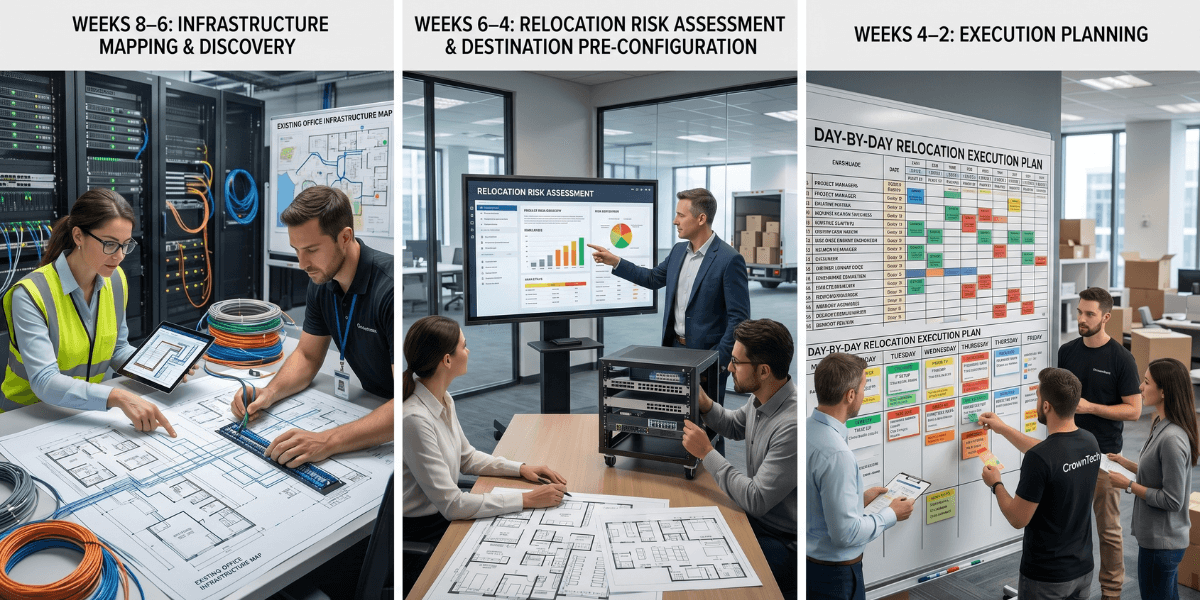
IT hears about the move weeks before execution. At that time, the vendor had been hired, the date had been set, and the budget had been agreed upon. An adequate amount of time to complete dependency mapping, network pre-configuration, ISP coordination, and startup sequence documentation is 6-10 weeks. Late starts involve squeezing all the important into a few.
The fix: IT leadership is included in the move-planning process along with the facilities team before the vendor is selected, before the date is fixed, and before any decisions occur that limit the IT move. For businesses hiring professional IT relocation services, this early involvement is incorporated from day one in the engagement process.
Mistake 3: No Pre-Move Documentation
Without systematic pre-move documentation, the destination environment is rebuilt from imperfect memory under time pressure. Labels fall off. Cables are misplugged. The IT team wastes hours and hours trying to solve issues that could be solved in a few minutes with photos and asset tags. A comprehensive office move IT checklist manages all the racks, cables, config exports, asset labels, etc., and helps turn this chaos into a repeatable process.
- Take pictures of all the racks before you touch any cables (from the front and rear)
- Save running configurations for all network devices.
- Label all cables (not just one)
- Create a destination floor plan mapping every device to its new position
Mistake 4: Reconnecting Servers Without a Dependency Map
There are dependency relationships among the server infrastructure. The systems that are authenticated by active directory must be online. Prefer databases over application servers. Storage before databases. Infrastructure dependency mapping records these relationships before unplugging a single server, establishing the precise sequence that the destination environment must undergo.
These relationships are broken when a mover reconnects in physical order (nearest to first, heaviest to first, alphabetical to first). The domino effect that follows can go on all day without any solution. The reason is that dependency mapping of servers needs to be done and checked by your IT lead before the move day, not reconstructed from memory on the floor of a new server room.
Mistake 5: Ignoring Cloud and Internet Connectivity
A little-known part of professional IT relocation services is internet circuit provisioning, which can take 3 to 6 weeks. For organizations with hybrid or cloud-first environments, connectivity is not a convenience; it is the foundation.
Companies that order their new circuit the week before the move arrive at a fully racked office with no internet. ISP coordination belongs on the planning list the day the new lease is signed. Overlooking it introduces avoidable server migration risks on top of the infrastructure challenges already in play.
Mistake 6: No Buffer in the Move Timeline
A move scheduled to be completed by midnight Saturday with no buffer is a move that will not be completed by midnight Saturday. IT relocations encounter problems. Without buffer time between planned completion and Monday's business-critical operations, every problem becomes a crisis. IT downtime costs escalate rapidly when a weekend move bleeds into Monday. What starts as a missed deadline turns into an unplanned outage when a weekend moves into Monday.
- Have 4-6 hours of space in between planned completion and Monday open.
- Establish a plan for the rollback of critical systems before execution.
- Assign explicit go/no-go authority to a named decision-maker.
Mistake 7: Declaring the Move Complete Before Verification
The move is not complete when the last box is unpacked. It is considered complete when a named team member has verified the complete operational status of each critical system. Without a formal verification step, problems are discovered by employees on Monday morning when there is no longer time to fix them before the business needs them. The only sure sign that the move is complete is if an office move IT checklist is signed off by the IT lead.
Every IT relocation failure we've investigated traces back to one of these seven gaps. None of them are technical mysteries. They are planning failures. The companies that avoid them don't have better luck; they have a process that doesn't skip the steps that matter.
How CrownTECH® Eliminates These Mistakes
CrownTECH® provides IT relocation services based on clear steps for each of these failure modes. Pre-move documentation, as well as other standard deliverables, is provided. The first thing that is scoped is server dependency mapping. ISP coordination starts from the time of confirmation of an engagement. And until verified by the IT lead with a structured checklist, no move will be deemed complete.
The result: Monday mornings that work. No emergency contractors. No incident reports. No explaining to the CEO why the office has been down since 9 AM.
Sources
- Gartner — Average cost of IT downtime: $5,600/minute (2014, widely cited through 2024)
- Ponemon Institute (2016) — Updated downtime cost: ~$9,000/minute average
- ITIC 2024 Hourly Cost of Downtime Survey — 90%+ of enterprises: 1hr downtime costs over $100K.
- Uptime Institute 2022 Outage Analysis — 80% of data centre operators experienced downtime in past 3 years; 60%+ of outages cost over $100K.
- LogicMonitor IT Outage Impact Study — 51% of IT outages are avoidable; companies with frequent outages face 16x higher costs.
- IDC Worldwide Data Protection & DR Survey — Nearly half of data disruptions cause lost productivity; Fortune 1000 downtime up to $1M/hour
- Atlassian — Cost of Downtime — Framework for downtime cost calculation.
- FM Guru / FMSystems — Each employee moved experiences ~4 hours of downtime on average.
- Oxford Economics (2024) — The Hidden Costs of Downtime: The $400B Problem Facing the Global 2000
- BigPanda / EMA Research 2024 — IT Outages: 2024 Costs and Containment — 60% rise in per-minute costs for mid-size orgs vs 2022
Get a Free IT Relocation Risk Audit
Before your next move, let CrownTECH® identify exactly what could go wrong- and how to prevent it. Free, no-obligation risk assessment for businesses across Canada.
Book Your Free Risk Audit →