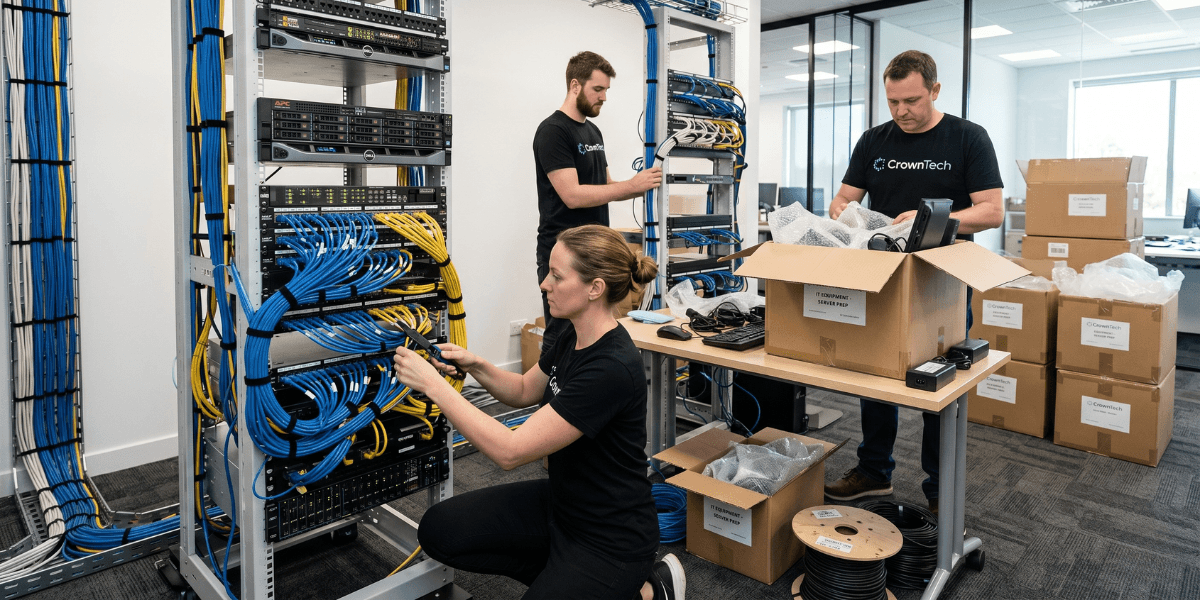
An enterprise IT relocation checklist covers four phases: pre-move planning (10-6 weeks), preparation (6-2 weeks), execution (move weekend), and post-move verification (1st week). The most essential ones are: dependency mapping for infrastructure components, network configuration export, internet circuit provisioning, startup sequence sign-off, and formal operation verification before the Monday open. Any that are missing make a very consistent failure. This checklist is structured for complex enterprise environments; scale the timeline for smaller moves.
Enterprise IT Relocation Checklist: The Complete 4-Phase Framework
The key to making an IT infrastructure relocation smooth and efficient, whether you're dealing with a server moving company or a project you've taken on yourself, is a well-organized approach to the process. This is a full IT relocation checklist to use as your operational blueprint during the four phases.
Phase 1: Pre-Move Planning (10–6 Weeks Before)
Governance
- Designate a named IT move lead who has decision-making authority.
- Create a move project team (IT, Facilities, HR, and Department Heads).
- Set the move date and a hard change freeze; no major deployments in the last 2 weeks before the move.
- Document RTOs (max acceptable downtime per system) for business-critical systems.
- Discuss the IT move plan with executives and secure their approval before vendor selection.
Infrastructure Discovery
- Complete physical asset inventory of every server, switch, firewall, storage device, and workstation.
- Document every server's role, all its dependencies, and all systems that depend on it.
- Build server dependency tree and derive shutdown/startup sequence.
- Export all configurations for network devices and keep them in version control.
- Discover all cloud dependencies, VPN tunnels, and hybrid connectivity.
- Flag all hardware-tied software licenses for pre-move updates.
- Picture each rack (front and back) and each cable run.
- Produce rack elevation diagrams for the destination rebuild.
- Scope desktop relocation services requirements for all end-user workstations and peripherals early in the discovery phase.
Vendor Selection
- Issue an RFP to a minimum of 3 IT relocation specialists.
- For those residing in the Greater Toronto Area, it is crucial to hire IT relocation services Toronto firms that are knowledgeable about the logistics, building access policies, and compliance regulations in the region.
- Evaluate the dependency mapping process, documentation methodology, and industry experience, not price alone.
- If you're hiring server moving companies, check for their specialized liability insurance, certified data-handling protocols, and proven experience in your types of hardware.
- Conduct site visits with shortlisted vendors.
- Implement contracts with clearly defined scope, deliverables, timeframe, and post-move support terms.
Phase 2: Preparation (6–2 Weeks Before)
Destination Pre-Configuration
- Internet circuit order placed: allow 4–6 weeks for provisioning.
- Core network switches are pre-configured with VLANs and routing at the destination.
- Internet connectivity is tested from the destination before the move date.
- The newly changed IP addressing of both ends with VPN tunnels.
- The accessibility of cloud resources is tested from the destination network.
- Email deliverability has been confirmed from new IPs.
- The new IP range is scanned against the major spam blacklists.
- Power circuits and cooling checked on site.
Move Plan Finalisation
Completing this stage of your IT relocation checklist ensures the IT infrastructure relocation proceeds without surprises on move night. Record all the details, name each task, and lock the sequence.
- Final start-up/shutdown sequence published and IT lead sign-off obtained.
- Move-night timeline with clear "go" / "no-go" points defined.
- Named responsibility assigned for each system's reconnection.
- For each critical system, rollback procedures have been documented.
- Checklist for verification of post-move preparation.
Phase 3: Move Weekend Execution
This is the part of the IT relocation checklist where things start to pay off, because it's the time when you should do all steps in a documented sequence and time-stamp it for accountability.
Shutdown (documented sequence)
- Application tier: Verify all processes terminated cleanly.
- Database services: Verify clean flush and shutdown.
- Storage services: Verify no pending I/O.
- Infrastructure services (AD, DNS, DHCP).
- Network equipment: in documented dependency order.
- Photos taken of the final rack before cable pulls.
Destination Startup (documented sequence)
Your server moving company should be on-site and follow the previously announced sequence for starting up your server. Always check with your IT lead before you take each step.
- Network core deployed and tested (before turning on any servers).
- Internet connection and cloud access confirmed.
- Infrastructure services (AD, DNS, and DHCP) are verified before any application servers.
- Storage systems verify all volumes accessible.
- Verify clean startups and data integrity in databases.
- The application servers should pass the health checks.
- Workstations by priority group; coordinate with desktop relocation services to ensure all end-user equipment is reconnected, tested, and confirmed operational before staff arrive.
Phase 4: Post-Move Verification (First Week)
Monday Morning — Before Business Opens
Use your IT relocation checklist at each verification step; if your business relies on continuity, you can't just rely on memory.
- Network connectivity from representative workstations across all VLANs.
- End-to-end testing of core applications.
- Email sent and received verified.
- Phone and conferencing systems tested.
- Cloud and VPN are confirmed from workstations.
- Before using business-critical systems, a formal sign-off from the IT lead is required.
First Week
- Help desk tickets are monitored for move-related issues, tracked, and resolved systematically.
- Confirm all desktop relocation services items are fully resolved, including monitor calibration, peripheral reconnection, and correct IP assignment across all workstations.
- Post-move documentation package received from the IT relocation specialist.
- Asset manifest confirmed against pre-move inventory.
- Lessons learned from the move were documented post-move.
A successful IT infrastructure relocation is not a logistical challenge; it's a business continuity challenge. This IT relocation checklist is CrownTECH's go-to formula for all engagements. We're one of the most trusted IT relocation services Toronto companies rely on, and we've witnessed how the items most companies tend to overlook, dependency mapping, destination pre-configuration, and formal verification, are the ones that determine whether Monday morning works. None of them is optional.
Sources
- Gartner — Average cost of IT downtime: $5,600/minute (2014, widely cited through 2024)
- Ponemon Institute (2016) — Updated downtime cost: ~$9,000/minute average
- ITIC 2024 Hourly Cost of Downtime Survey — 90%+ of enterprises: 1hr downtime costs over $100K.
- Uptime Institute 2022 Outage Analysis — 80% of data centre operators experienced downtime in past 3 years; 60%+ of outages cost over $100K.
- LogicMonitor IT Outage Impact Study — 51% of IT outages are avoidable; companies with frequent outages face 16x higher costs.
- IDC Worldwide Data Protection & DR Survey — Nearly half of data disruptions cause lost productivity; Fortune 1000 downtime up to $1M/hour
- Atlassian — Cost of Downtime — Framework for downtime cost calculation.
- FM Guru / FMSystems — Each employee moved experiences ~4 hours of downtime on average.
- Oxford Economics (2024) — The Hidden Costs of Downtime: The $400B Problem Facing the Global 2000
- BigPanda / EMA Research 2024 — IT Outages: 2024 Costs and Containment — 60% rise in per-minute costs for mid-size orgs vs 2022
Get a Free IT Relocation Risk Audit
Before you take the next step, CrownTECH® can determine exactly what might go wrong and how to avoid it. We are one of the top IT relocation services Toronto companies; we offer a free, no-obligation risk assessment for businesses across Canada.
Book Your Free Risk Audit →