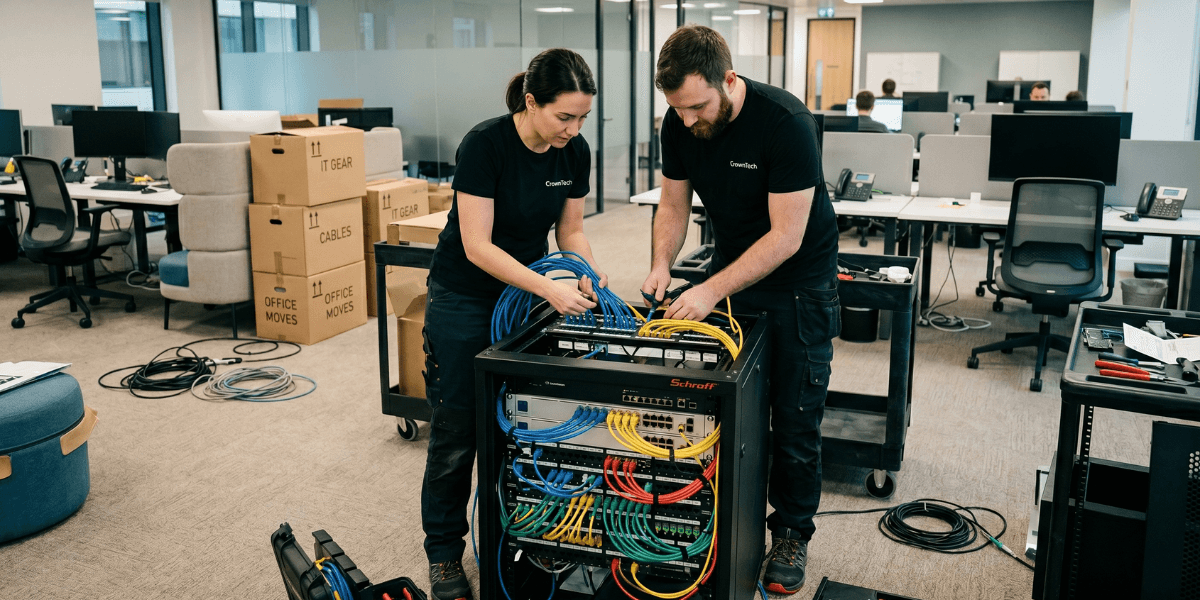
The most common network issues that cause outages after a move are: VLANs set up on the old core switch but not on the new core switch, VPN tunnels pointing to old IP addresses, firewall rules that have hard-coded source addresses that have changed, DNS records pointing to old IP addresses, and the internet circuit not being provisioned beforehand. All of these are pre-move tasks cloaked as post-move problems. They can be avoided if one practice is followed: export the full network setup configurations before anything is disconnected, and verify that the destination replicates them exactly before powering on a single server.
Network Setup After an Office Move: The 6 Failures That Cause Most Outages
The most frequent reason for an IT outage after an office move is network failure. They are also the most preventable: each has a root cause that can be identified and addressed at the planning stage, not during execution. Even a move across town can cause a company to go down for days if not properly planned for an office network setup.
Failure 1: VLAN Configuration Not Replicated
VLANs are used to break up the network from workstations to servers, from management to production, and from guest to corporate. Any traffic that was working fine on Friday will be blocked or misrouted on Monday if the new core switch does not use the same VLAN configurations and inter-VLAN routing. The individual devices may appear green (linked) but be unreachable. One of the most common mistakes a company can make when moving is network setup, and it's one of the easiest to avoid with careful pre-move documentation.
Prevention: Back up all managed switches' running configuration before the move. Write down all the VLANs (number, name, IP subnet, use, ports). Check the configuration of destination switches before turning on any servers. This single step eliminates the most common office network setup failures on move day.
Failure 2: VPN Tunnels Referencing Old IP Addresses
Specific source IP addresses on both sides of the VPN tunnel are used for site-to-site VPN tunnels. All existing VPN tunnels are automatically rejected when your office switches ISP or switches IP block. This impacts cloud VPN gateways, branch office tunnels, and remote access servers. The patch for VPN configuration updates should be done before the migration. Many of these configurations are at the tunnel's other end and must be coordinated well in advance. Engaging professional IT relocation services early ensures these external VPN configurations are updated before you lose connectivity on move day.
Failure 3: Firewall Rules With Hardcoded Source Addresses
Many firewall rules are hardcoded IPs, meaning that they are configured to allow or deny individual IP addresses or NAT individual subnets. These rules are silently broken when the network changes. Traffic is dropped. Applications fail. The symptoms appear to have nothing to do with the network because the firewall is functioning properly, but only for a non-existent network. By doing a structured network setup review during the pre-move planning, you can anticipate these issues and prevent them from locking your users out on Monday morning.
Failure 4: DNS Records Not Updated
You are likely to find old network IP addresses in the internal DNS records. Once the move is complete, when the servers are given new addresses, all the DNS records referring to the old addresses are deleted. DNS changes take time to propagate, with lower TTL values of 24-48 hours before the move to ensure that the changes propagate quickly to all resolvers. Monitoring DNS TTL is an important part of an office move IT checklist, and it's an item that's frequently put off until the last minute.
High-TTL trap: DNS records with 24-hour TTLs updated at 11 PM Saturday may not be completely propagated until 11 PM Sunday (Monday morning users will be using old addresses). Reduce TTLS to 300 seconds (5 minutes) at least 48 hours before the move.
Failure 5: Internet Circuit Not Ordered in Time
The time to provision Internet services is 3-6 weeks. Businesses that book the circuit a week in advance come to a fully provisioned and configured office without an internet connection. All cloud apps, email, VPN, and remote access are offline. The ordering of the circuit should be placed on the planning list on the day the new lease is signed. No exceptions. When seeking IT relocation services, the company you choose will also handle circuit procurement, so you don't have to worry about it.
Failure 6: Email Deliverability Not Tested From New IP
Outbound email deliverability relies on the fact that the IP address of the sender is not blacklisted and that SPF, DKIM, and DMARC records allow the new IP address of the sender. If a new IP range is used for sending spam, all emails from your company are simply lost. Emails sent from the new location won't pass verification using old IP addresses in the SPF record. Testing the deliverability of your emails from the new IP should be a non-negotiable part of your office move IT checklist. You can't afford to miss it, as it's only when a client notices that your emails have gone missing that you'll come to realize you need to test it.
The Network Pre-Configuration Checklist
6+ Weeks Before
- Order an internet circuit at the new address.
- Export all network setup and device configuration.
- Record all VPN tunnels (remote end details).
- Test new IP range on major email blacklists (MXToolbox, Spamhaus).
2 Weeks Before
- Pre-configure destination switches with VLANs matching the source.
- Change VPN configurations on both sides for new IPs.
- Reduce DNS TTLs to 300 seconds.
- Update SPF Records with new IP addresses of senders.
- Test the Internet connection from the new location
- Test cloud resource accessibility from the new network.
- Test email deliverability from new IP addresses.
IT relocation is a business continuity problem, not a logistics problem. Network setup after a move is the wrong framing. It's better to pre-configure networks before moving. All the items in this office move IT checklist are pre-move tasks. By the time you're configuring the office network setup at the destination, you should be verifying a pre-built environment, not building one under time pressure at 2 AM on a Saturday.
Sources
- Gartner — Average cost of IT downtime: $5,600/minute (2014, widely cited through 2024)
- Ponemon Institute (2016) — Updated downtime cost: ~$9,000/minute average
- ITIC 2024 Hourly Cost of Downtime Survey — 90%+ of enterprises: 1hr downtime costs over $100K.
- Uptime Institute 2022 Outage Analysis — 80% of data centre operators experienced downtime in past 3 years; 60%+ of outages cost over $100K.
- LogicMonitor IT Outage Impact Study — 51% of IT outages are avoidable; companies with frequent outages face 16x higher costs.
- IDC Worldwide Data Protection & DR Survey — Nearly half of data disruptions cause lost productivity; Fortune 1000 downtime up to $1M/hour
- Atlassian — Cost of Downtime — Framework for downtime cost calculation.
- FM Guru / FMSystems — Each employee moved experiences ~4 hours of downtime on average.
- Oxford Economics (2024) — The Hidden Costs of Downtime: The $400B Problem Facing the Global 2000
- BigPanda / EMA Research 2024 — IT Outages: 2024 Costs and Containment — 60% rise in per-minute costs for mid-size orgs vs 2022
Get a Free IT Relocation Risk Audit
If you're thinking about moving your IT team, let CrownTECH®'s IT relocation services team tell you what might go wrong and what you can do to prevent it. Free, no-obligation risk assessment for businesses across Canada.
Book Your Free Risk Audit →