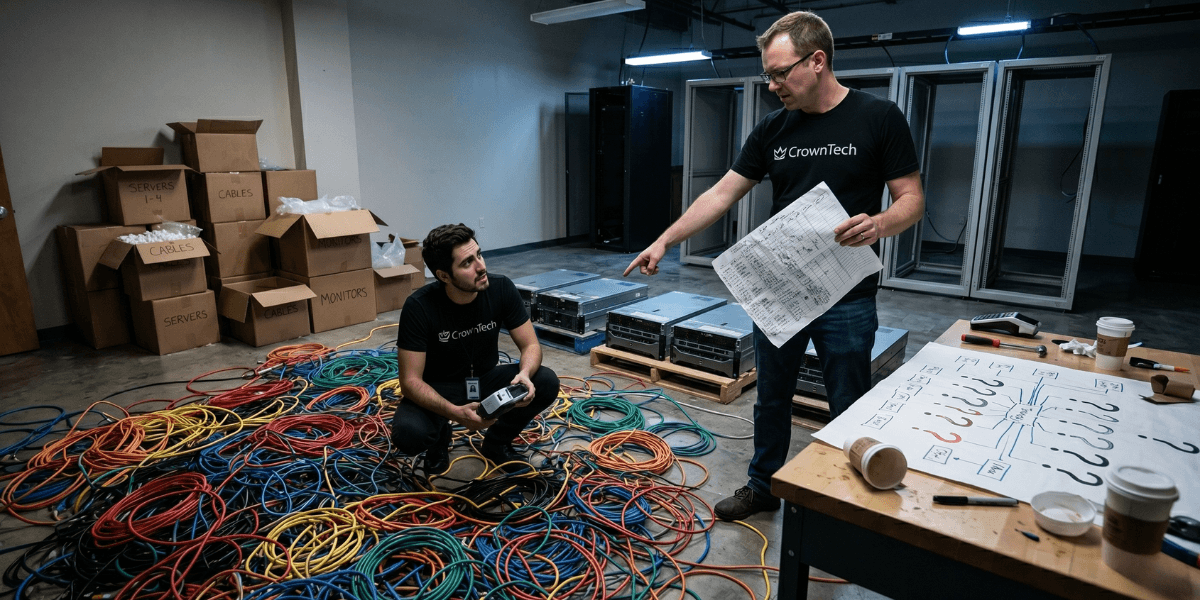
The most prevalent IT relocation failures are server RAID corruption while moving, multi-day network outages caused by misconfigured switches, cloud inaccessibility due to loss of VPN configuration, data loss resulting from improperly managed storage, and cascading failures due to unknown system interdependencies. None of these is a coincidence. Each one has a definite, preventable cause. Every one occurred because the planning process did not include the step that would have surfaced the risk before execution. Before the day of the move, the professional office IT relocation services that businesses invest in prevent them from experiencing all of these.
What Can Go Wrong During an IT Relocation - and Why It Keeps Happening
There is a consistent pattern across IT relocation failures. The problem is almost always not the physical transport.
What fails is the layer underneath the hardware, the configuration, the dependencies, the connectivity, and the things a general logistics firm has no methodology for, but general professional office IT relocation services do.
These are actual situations. All of these were real companies. All were avoidable.
Scenario 1: The Corrupted RAID Array
A professional services company shifted their main file server with a basic office relocation company. The server was lifted straight and carried in a moving truck for a 45-minute journey. When the RAID array was started, two of the drives had been experiencing errors in transit. Data corruption was observed over the next 48 hours. The cost for recovery was $23,000, and the days required for recovery were 4 business days. Root cause: Spinning hard disc drives require anti-vibration transport containers, not moving blankets. The moving company didn't have them. Nobody asked. A proper IT relocation checklist reviewed in advance would have flagged hardware transport specifications as a mandatory pre-move item.
Scenario 2: The 72-Hour Network Outage
A 150-person technology company moved using their facilities team and internal IT staff. The core switch at the new location replaced the original unit, which had suffered damage. No one had pre-configured the new switch with the original VLAN configuration. The IT team worked all night on Friday and on Saturday afternoon to restore the configuration from memory. As of Monday, 60% of users were able to connect but were unable to access internal applications due to incomplete VLAN routing. Root cause: Network configuration was not exported before the move. It existed only in the running device and in the memory of the engineer who configured it 3 years ago. One of the key steps for any professional IT relocation checklist includes a mandatory configuration export step, which is the sort of hazard that's well-equipped to be caught by structured IT relocation services Toronto providers.
Scenario 3: Three Days Without Cloud Access
A financial services company has successfully moved all its hardware to its new location, and the servers are now operational. However, no one had re-configured VPN tunnels for the new IP addressing scheme. All cloud connections were broken right away. The firm's main portfolio management system was unavailable for 3 business days. The root cause of the outage is that VPN tunnel configurations refer to a specific source IP address. If a network changes, then both ends of each tunnel must be updated. This task is a pre-move project, not a post-move discovery, and this should be included in every IT relocation checklist before a single cable is disconnected.
What These Scenarios Have in Common
All these failures have had one thing in common: they were all predictable before the move.
- RAID sensitivity to vibration is a documented hardware characteristic
- Network configuration is exportable and can be pre-loaded on a replacement device.
- VPN addressing dependency can be scoped out
- Asset location is trackable with a basic manifest
What has happened is that these failures have occurred due to the lack of involvement in the planning process of the steps that would have identified the risk. As a startup or a mid-market business, you need to hire IT relocation services Toronto that you can rely on, and you must be dealing with experts who are uncovering these risks before the day of the move, not after. The value of an IT relocation specialist is not recovery; it is the methodology of planning that makes these scenarios impossible.
IT relocation is a business continuity issue and not a logistics issue. As soon as companies realize that, they stop thinking about "Can we trust the mover to be careful?" and they begin to ask, "What is the mover's documented process for preventing each failure mode? These are altogether different questions. The latter one provides you with the correct answer all the time.
The Planning Steps That Prevent Every Scenario Above
The following steps are the building blocks of a professional IT relocation plan, and all of them are common among top office IT relocation services:
- Anti-vibration server transport containers: are required for any server with spinning disc drives. Not optional
- Network configuration export: every switch, router, and firewall config is exported and stored before disconnection
- VPN dependency mapping: every tunnel configuration documented with both ends' IP addressing; updated before the move
- Asset manifest with destination assignment: every device has a documented destination and a sign-off at both ends
- Destination pre-configuration: pre-configuring the network at the new location before the first server arrives
CrownTECH® integrates all of these into its normal IT relocation execution. They are not top-of-the-line extra features. They're the foundation for what IT relocation services Toronto clients anticipate and what differentiates a seamless relocation from a pricey, multi-day recovery.
Sources
- Gartner — Average cost of IT downtime: $5,600/minute (2014, widely cited through 2024)
- Ponemon Institute (2016) — Updated downtime cost: ~$9,000/minute average
- ITIC 2024 Hourly Cost of Downtime Survey — 90%+ of enterprises: 1hr downtime costs over $100K.
- Uptime Institute 2022 Outage Analysis — 80% of data centre operators experienced downtime in past 3 years; 60%+ of outages cost over $100K.
- LogicMonitor IT Outage Impact Study — 51% of IT outages are avoidable; companies with frequent outages face 16x higher costs.
- IDC Worldwide Data Protection & DR Survey — Nearly half of data disruptions cause lost productivity; Fortune 1000 downtime up to $1M/hour
- Atlassian — Cost of Downtime — Framework for downtime cost calculation.
- FM Guru / FMSystems — Each employee moved experiences ~4 hours of downtime on average.
- Oxford Economics (2024) — The Hidden Costs of Downtime: The $400B Problem Facing the Global 2000
- BigPanda / EMA Research 2024 — IT Outages: 2024 Costs and Containment — 60% rise in per-minute costs for mid-size orgs vs 2022
Get a Free IT Relocation Risk Audit
Before your next step, let us tour your infrastructure and pinpoint exactly what could go wrong and how you can prevent it. We are one of the more trusted providers of IT relocation services Toronto companies can count on and provide a free and no-obligation risk assessment for companies throughout Canada.
Book Your Free Risk Audit →