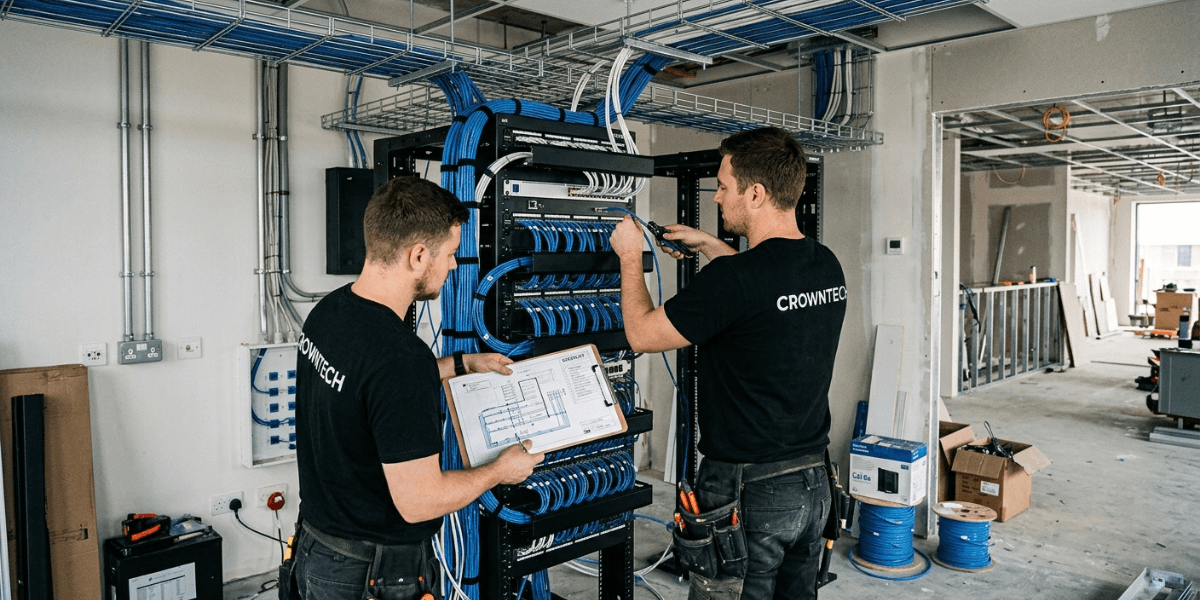
Relocating to a new office is a big exercise in planning, and the network infrastructure that underpins the business is no exception. Bad cabling, not enough network ports, and a delayed install can all lead to problems once the staff have moved in (connectivity issues, downtime, expensive rework, etc).
Treating network cabling as an afterthought, or copying an outdated layout from your old premises, creates performance bottlenecks that no amount of high-speed internet can fix. A professionally engineered structured cabling system design keeps your network organized, scalable, and ready to support high-density commercial operations from day one.
With 28+ years of experience in IT relocation and infrastructure services, CrownTECH has built the phased office relocation IT checklist below. Follow it to keep your move on schedule and your network stable.
5 Step Structured Cabling System Design Checklist for New Office or Relocation
Each phase builds on the one before it. Work through them in order and assign an owner to each.
Phase 1: Pre-Planning & Space Assessment (3 to 6 Months Prior)
Why Planning Early Matters:
Start your infrastructure planning 3 to 6 months prior to move-in day. Cabling is dependent on ceiling access, electrical work and landlord approval, and all of those have lead times. A good office relocation IT checklist will start with that timeline, as once the furniture and staff are in place, you can't rush the cabling.
Evaluating Current vs. Future Headcount:
Count what you need today, then plan for what you will need later.
- Assess current workstations, fixed desks, and hot-desking zones.
- Plan for 3-to-5-year company growth so you don’t run out of ports immediately.
- Include shared devices such as printers, displays, and room schedulers.
Adding ports later means opening ceilings and re-running cable. Adding spare capacity now costs far less.
Auditing Existing vs. New Infrastructure:
Don’t copy and paste your old setup. Your current office may have grown piecemeal, and your new space may have its own legacy problems. Legacy cables at the new location may be outdated, poorly labelled, or improperly terminated.
Qualified data cabling specialists can inspect existing runs, test them, and tell you what to reuse and what to replace. Unlabeled or uncertified cable is a liability, not an asset.
Selecting the Right Cable Category:
Match the cable to the job:
- Cat6: cost-effective for standard gigabit desk drops.
- Cat6a: vital for future-proofing, higher bandwidth, and 10 Gig over longer distances.
- Fibre Optic Backbone: Crucial for inter-floor connections, high-speed data centres, and heavy data loads.
Lots of offices use Cat6a for the horizontal runs and fibre for the runs between the equipment rooms. That's a balance of cost now and future capacity.
Phase 2: Floor Plan Mapping & Drop Location Strategy
A well-documented structured cabling layout starts on paper, not in the ceiling. Every drop should be planned before any cable is pulled.
Physical Floor Plan Walkthrough:
Print out the physical floor plans and mark every data drop location area by area. Walk the space with your IT lead, office manager, and cabling contractor. Check where the desks, meeting rooms, printers, and reception areas will be. Note any obstructions (columns, glass walls, fire-rated partitions, etc.).
Room-by-Room Drop Allocation Matrix (Table or Bulleted List):
Use these allocations as a starting point:
- Standard workstation/desk: 2 drops minimum (1 active primary and 1 spare/secondary device).
- Conference/Board Rooms: 3-4 drops (display screens, conference tables, room booking schedulers, and ceiling Wi-Fi APs).
- Printer / Copier Stations: 1 dedicated hardwired drop, which avoids wireless instability for heavy print queues.
- Wireless Access Points (WAPs): 1 ceiling drop per AP, placed according to a professional wireless coverage heat map.
- Security & Access Control: Individual PoE drops for IP cameras, card readers, and door intercoms.
Power over Ethernet (PoE) lets one cable carry both data and power to cameras, access points, and readers. That reduces the electrical work needed at each device location.
The 100-Meter Channel Rule:
For conventional Cat6 and Cat6A structured cabling, the permanent link is normally limited to 90 m, and the complete channel (including patch cords) is normally limited to 100 m. You need to bear that in mind when you're planning your equipment rooms, your cable runs and your workstation connections.
Every structured cabling system design must respect this limit when positioning closets and routing cable. Runs that exceed it fail certification or cause intermittent errors that are hard to trace.
Phase 3: Main Equipment Room (IDF/MDF) Layout & Power Strategy

Centralized Closet & Rack Placement:
Main Distribution Frames (MDFs) and Intermediate Distribution Frames (IDFs) should be positioned centrally. A central position will obviously minimize the horizontal run distances and will also keep the structured cabling layout as simple as possible to manage and to troubleshoot. On a larger site or a multi-floor site, you would have an IDF on each floor, linked back to the MDF via a fibre backbone.
Rack Sizing and Enclosures:
Choose floor-standing or wall mounted racks with built in capacity for patch panels, network switches, routers, and UPS. Leave at least 30% of the rack space free for future growth. Racks that are too full make cable management a nightmare and will also lead to poor airflow.
Power, Ventilation, and Cooling:
Power interruptions and inadequate cooling can create serious risks for network equipment, affecting performance, availability, and equipment lifespan.
- Provision dedicated electrical circuits for telecom racks.
- Ensure adequate ventilation, or dedicated server room cooling, so switches and enterprise hardware do not overheat.
- Size the UPS to carry critical equipment through short outages.
Treat the telecom room as part of your overall structured cabling system design, not an afterthought handed to the electrician at the end.
Cable Pathways and Containment:
Install the correct cable trays, J-hooks, and conduits through the ceilings and walls. Keep the data cables physically separated from the high voltage electrical lines to avoid EMI.
Experienced data cabling specialists follow manufacturer-specified bend radius requirements and avoid overcrowding cable pathways. Both of those things are important in terms of protecting the performance of the cable over the lifetime of the installation and in terms of leaving the pathway sufficiently flexible for future additions.
Phase 4: Installation, Termination, & Certification (1 to 2 Months Prior)
Professional structured cabling and installation takes place once the floor plan, the closets, and the pathways have all been approved. At this stage, the design becomes a real, working network.
TIA-606 Cabling Labelling Standard:
Implement a standardized naming convention based on the TIA-606 labelling standard. Label both ends of every cable, as well as patch panel ports and wall faceplates, so they match identically.
Consistent cable labelling reduces the time it takes to troubleshoot and makes future network changes, workstation moves, and infrastructure upgrades a lot easier. Without them, every fault is just a tracing exercise.
Professional Certification Testing:
Basic continuity testers can only identify the most common types of wiring faults and are of no use in verifying the actual transmission performance of a cable. Professional cable certification testing assesses the installed link against the relevant cabling category and industry standards and is able to identify any performance issues prior to the network going live.
Reputable data cabling specialists supply the test results for each link. Keep these reports on file. They document that the cabling met the specification on day one, which helps with warranty claims and any later disputes.
As-Built Documentation:
Compile the final deliverables:
- As-built floor plan drawings.
- Cable ID logs.
- Port-to-location mapping.
The records must show the final structured cabling layout (including any changes that have occurred during installation). The documentation must be up to date so that troubleshooting is quick and future moves can be planned easily.
Phase 5: Cutover, Staging, & Day-One Readiness (Weeks Before to Move Day)
Pre-Staging Hardware:
Pre-configure switches, firewalls, routers, and Wi-Fi access points off-site so they are plug-and-play ready on arrival. Coordinate this step with your structured cabling and installation schedule so that equipment and cabling are ready at the same time. Staging reduces on-site configuration work and shortens the move-day window.
Cutover Execution Strategy:
Choose between a phased department move or a structured weekend cutover.
- Phased move: the departments are moving in stages. That reduces the risk but does mean we'll be running two sites for a longer period of time.
- Weekend cutover: Everyone moves at once over a weekend. This is faster, but it needs a detailed plan and a tested rollback option.
Add the chosen approach, with named owners and times, to your office relocation IT checklist. Also notify your internet provider and phone vendor early, since circuit installations often carry long lead times.
Post-Installation Validation Checklist:
Before staff arrive, verify the following:
- DHCP address allocation and internet gateway stability.
- VoIP call quality (latency, jitter, and packet loss).
- Enterprise Wi-Fi coverage throughout all office areas.
Record the results and fix any faults before Monday morning. Treat this validation as the final item on your office relocation IT checklist, not an optional extra.
Why Choose CrownTech

An office relocation requires careful preparation and experienced technical support. With 28+ years of experience, we help businesses across Toronto and the GTA plan and manage IT infrastructure transitions. Our data cabling specialists support structured cabling design, installation, certification, and documentation for commercial office environments.
When comparing providers, look for:
- Experience with commercial structured cabling and installation projects of similar size.
- Certification testing and as-built documentation included as standard.
- A clear process for structured cabling system design, from site assessment to cutover.
- Adherence to recognized standards such as TIA-606.
Ask any provider to show sample test reports and labelled documentation. These reveal far more than a sales presentation.
Conclusion
An office move is the perfect opportunity to put in place a robust, well-organised and scalable IT infrastructure. Planning your network cabling at the outset will go a long way to preventing the need for costly and disruptive changes later on, will reduce your connectivity risks, and will ensure your office is set up for the technology demands of the future.
Document the final structured cabling layout, keep the certification reports, and maintain up to date port records so your IT team can manage the network properly post relocation. All of those things together will turn this office relocation IT checklist into a network that works from day one.
Preparing for an office relocation or network infrastructure upgrade in Toronto or the GTA? We provide structured cabling system design and structured cabling and installation services. Contact us today for a free consultation and site assessment.
Request a Structured Cabling Consultation
Plan, design, and certify a scalable, high-performance structured cabling system for your office relocation with CrownTECH.
Request Consultation →